Exploring the AQUA-SMART Atlas: One Map for the Whole Black Sea
AQUA-SMART Science Team, e-AQUAF Project (BSB01009)
What Is the Atlas?
The AQUA-SMART Atlas at www.eaquaf.eu/atlas is a full-screen interactive map of the Black Sea that brings every layer of the observatory together in one place: live monitoring stations, daily satellite data, site suitability scoring, protected areas, and the directory of aquaculture stakeholders across the region.
Everything on the Atlas is controlled from the Layers panel on the left. Layers are grouped into three sections, Water, Rules and People, and every choice you make is stored in the page address. The Share this view button at the top of the panel copies the link, so the person you send it to sees exactly your view. Open the Atlas without a link and it starts on the whole Black Sea basin, including Greece and Armenia, on desktop and phone alike.
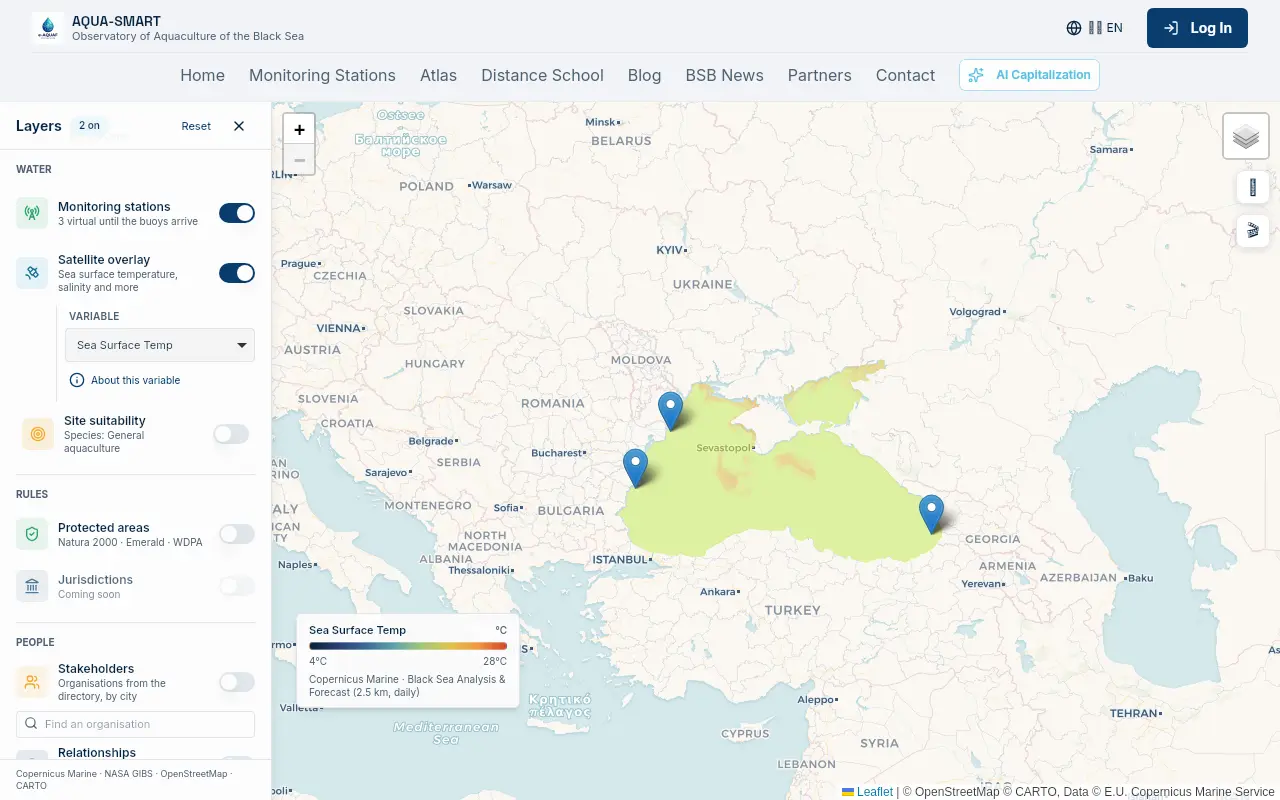
Water: Stations, Satellites and Site Suitability
Monitoring stations
The three AQUA-SMART stations, Sulina (Romania), Varna (Bulgaria) and Batumi (Georgia), appear as small round markers coloured by status: green for online, amber for warning and grey for offline. Hovering a marker shows the station name, and clicking it opens the station summary with a link to its full dashboard with hourly sensor readings, forecasts and the harvest timing engine.
Satellite overlay
The satellite overlay paints the whole basin with a daily variable from Copernicus Marine Service or NASA. Use the Variable selector inside the Layers panel to switch between sea surface temperature, chlorophyll-a, salinity and more. The "About this variable" link under the selector opens a popup explaining what the variable means, its scale and where the data comes from. A compact legend at the bottom of the map shows the colour scale of the active variable; it collapses to a small chip when you want the map clear, remembers your choice, and starts collapsed on phones.
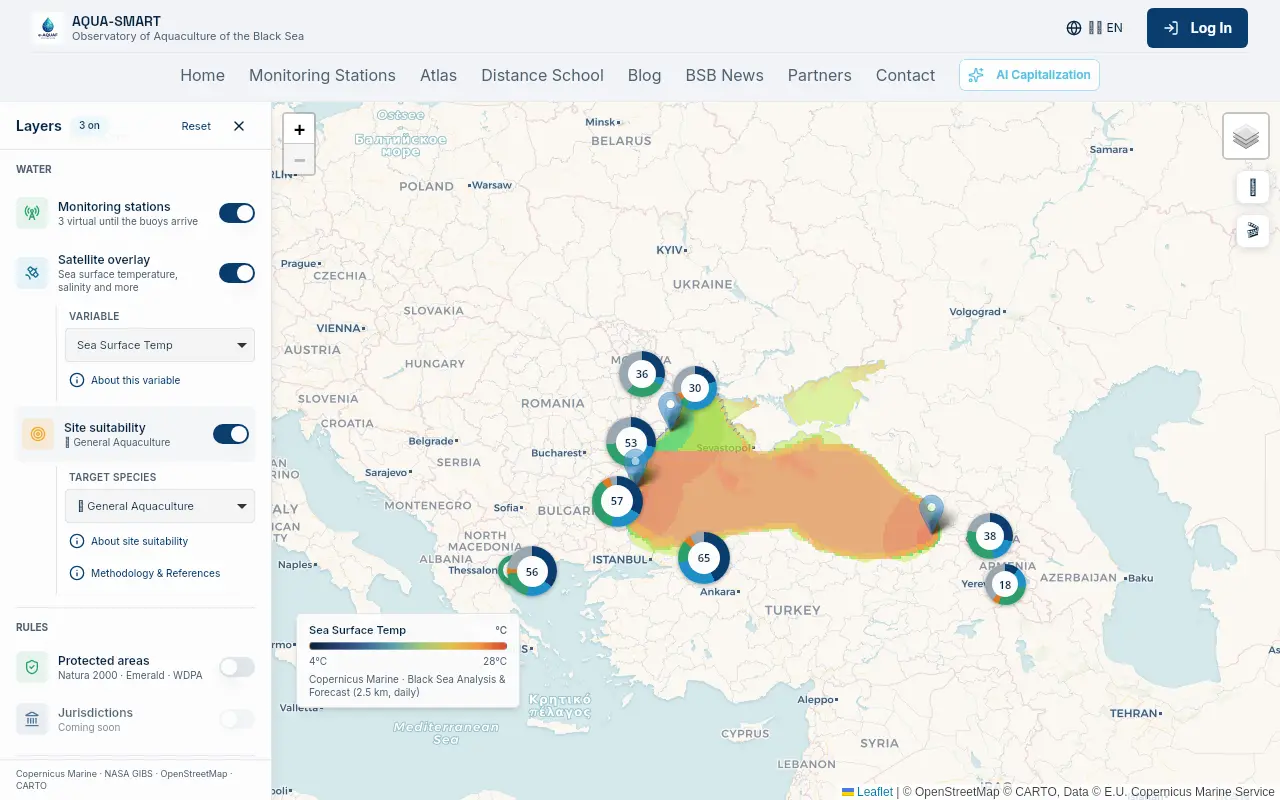
Site suitability
Turn on Site suitability and the sea is coloured by how suitable each grid cell is for aquaculture. The Target species selector, which defaults to General Aquaculture, lets you score the basin for a specific species, and the "About site suitability" and "Methodology & References" links open the full explanation of the scoring model.
Clicking any cell opens a compact popup with its score, verdict and confidence, plus the result of the protected-area check for that spot, so you can see at a glance whether a promising area would need an environmental assessment.
Rules: Protected Areas
The Protected areas layer draws the official conservation maps directly from the European and international services that publish them:
- Natura 2000, Habitats and Birds directive sites (European Environment Agency)
- Emerald Network, adopted, candidate and proposed sites (Council of Europe)
- WDPA, the World Database on Protected Areas (UNEP-WCMC and IUCN, via Protected Planet)
The maps are streamed as images from the official services, so no protected-area shapes are ever downloaded or stored by AQUA-SMART, and the official attribution lines are shown on the map whenever a source is on. The "About protected areas" link in the panel opens a popup listing every source and its credit.
Who governs this spot?
Click anywhere on the sea, even with no layer on, and the Atlas answers "Who governs this spot?": a panel lists every protected area that covers the clicked point, grouped by source, with the managing authority and a link to the official record. Natura 2000 sites also carry the Article 6(3) note about the need for an appropriate assessment. If you click open sea far from any area, the panel tells you so, or points you to the nearest one.
People: Stakeholders, Partners and Relationships
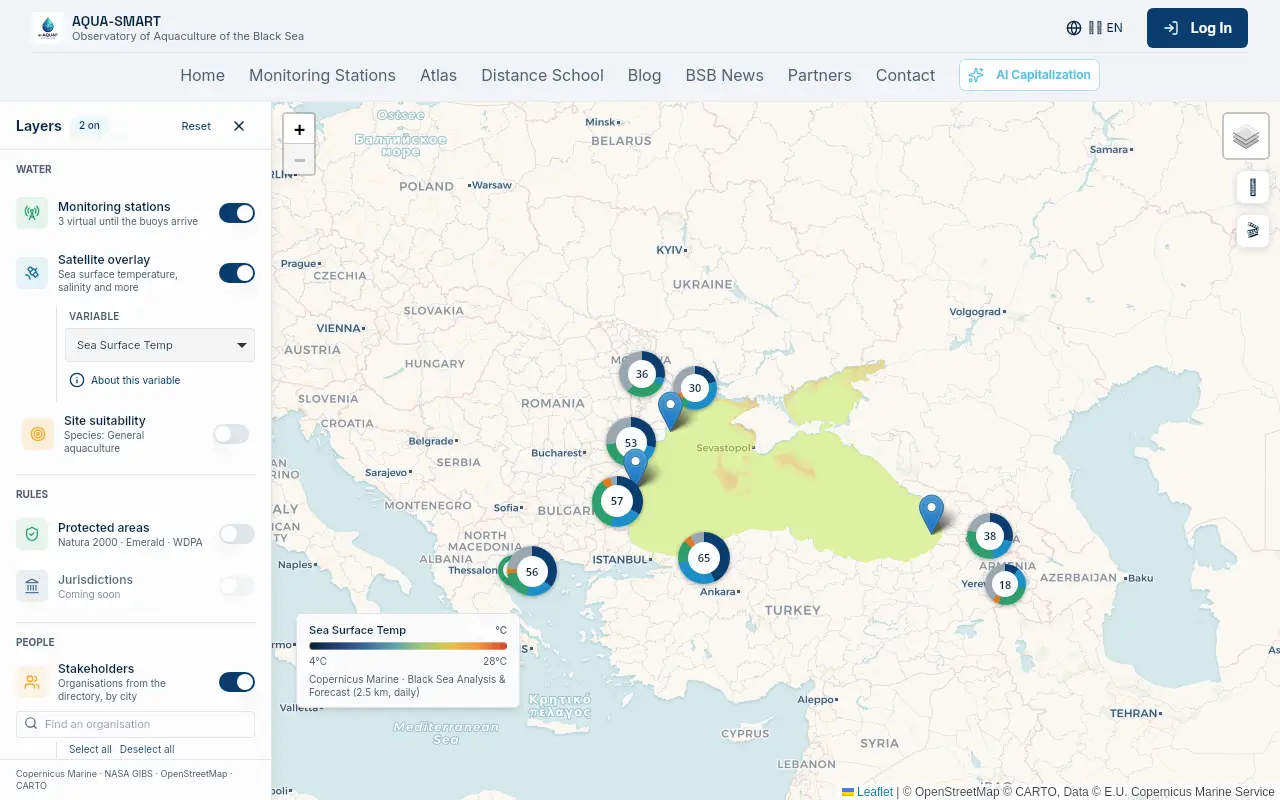
Stakeholders
The Stakeholders layer places the organisations from the AQUA-SMART directory on the map by city. Zoomed out you see one bubble per country; zoom in and places with a single organisation become small dots in their category colour, while busier places become clusters with the count, overlapping clusters merging into one combined count. A coloured ring shows the mix of categories. Zoom in further and they become individual pins.
The panel offers a search box, category filters with Select all / Deselect all, a country filter and an "Active since 2016" switch. Clicking a cluster opens the list of organisations in that city, and clicking an organisation shows its public profile, name, category, city, country, website and projects. Signed-in users also see the AI-written description and expertise tags. E-mail addresses and phone numbers are never shown on the map.
e-AQUAF partners
The e-AQUAF partners switch marks the six project partner cities with a diamond: Proshyan, Mykolaiv, Varna, Thessaloniki, Batumi and Tulcea. Clicking a diamond shows the partner's name, city and a link to its organisation page.
Relationships
The Relationships layer draws curved lines between places whose organisations have worked on the same Black Sea Basin projects. By default the map stays clean: click a place and only its lines appear, the panel listing its partner places and how many projects they share. The All places switch brings back the full network with a minimum-projects slider. The more projects two places share, the thicker the line, a quick way to see who already collaborates with whom before you send your first message.
Tips
- Share what you see. Every layer, filter and the map position live in the page address. Use the Share this view button in the Layers panel to copy the link, and the person you send it to sees exactly your view.
- Pick your basemap. The Basemap button (map icon, top right) switches between the default map, satellite imagery and terrain. Country and city names are drawn by AQUA-SMART itself and follow the language of the site.
- Use the info links. Almost every layer has a small "About" link that opens a popup with the explanation, legend and data credits, nothing is hidden in documentation.
- Combine layers. Site suitability plus protected areas is the fastest way to shortlist new farm locations that are both productive and permittable.
About the Project
AQUA-SMART is developed within e-AQUAF (BSB01009), Smart Aqua Farming, co-funded by the Interreg NEXT Black Sea Basin Programme of the European Union. The platform is built by Re:Invent Education with contributions from all project partners across Armenia, Bulgaria, Georgia, Greece, Romania and Ukraine.
The responsibility for the content of this material is that of the author(s). The content does not necessarily represent the official position of the European Union.

Interreg NEXT Black Sea Basin Programme — Co-funded by the European Union
Download the AQUA-SMART app